Fleet deployment
This page is the schedule: which playbook to run when, on which hosts, with which switches, and what tells you it worked. It is written for the person who already has the machines — brokers, shared store, directory, target hosts — and is installing or operating an ISG fleet on them with the Ansible automation that ships with the product.
It is not the role reference. The automation carries its own reference, which describes what an individual role does, which decisions it makes and what its variables are. This page sits above that one: it names what an operator types, in the order they type it, and what the run must print before the next step starts.
A single gateway on a single host does not need any of this. That route — one binary, one unit, one identity source — is on the getting started page. Use this page for a fleet: several brokers behind a shared address, a shared store, a directory.
What every run needs
Where you run it. Every ansible-playbook command below runs on the
controller — the machine that holds the inventory and the playbooks and
reaches the fleet over SSH. The controller is not one of the fleet hosts, and the
"Runs on" column names the hosts a play targets, not where you type.
The inventory and the environment name. Every command below is shown in the
form of the reference environment, env1 — that is, with
-i inventory/env1.ini -e isg_env=env1. In your own environment the inventory
file and the environment name are yours; nothing else on the command line
changes.
-e isg_env= is mandatory. It is what selects the environment's variable
file. Without it, or with a mistyped environment name, the environment guard
(_env-guard.yml, which every playbook imports) stops in the first play. That
guard exists because the mistake is otherwise silent: Ansible skips an
unresolvable vars_files entry without a word, so without the guard the play
would start, carrying the common variables only, and everything in it that
does not read an environment variable would run on the hosts.
The config source. -e isg_config_src_dir= names a directory on the
controller from which the roles carry configuration and secrets to the hosts.
It is not a directory anybody assembles by hand: step 1 below generates it, and
every later play that ships a secret or a configuration file is handed the same
path. That path is yours, so it is not written into the commands below — where a
run needs it, the switch is named in prose beside the command instead. A
command line with a placeholder inside it looks copyable, and is not. One switch
(isg_config_src_pki_enabled) also lets that step mint the environment's own
root and issue the identity provider's and the admin UI's certificates from it
(pki/root.crt, tls/webui.crt, tls.yaml), so a client has exactly one
certificate to trust, and it is not the ISG CA. It is off by default: where the
customer already runs a PKI, their own pair goes into the config source instead.
The become password. A playbook that escalates on a host asks for the
password itself, as its first step, and the prompt (in yellow) names which
password it wants — for example the sudo password of the admin account on the
environment's machines. It then tries that password on every host it will
escalate on, and a wrong password, a sudo that never answers or a host that
cannot be reached stops the run there, before anything is written, naming the
expected password again. The names come from isg_become_labels in the
environment's vars file. Instead of the prompt, -e isg_become_password_file= with a path
reads the password from a file on the controller — the first run on freshly
installed machines uses this for their console password. -K is not needed; if
it is given anyway, it does no harm, because the playbook's own prompt takes
precedence. A run without a terminal (a timer) is not asked anything, and the
steps that run without root (the store backup) do not ask either.
Installation order
| # | Playbook | Purpose | Runs on |
|---|---|---|---|
| 1 | playbooks/config-src.yml |
Generates the config source on the controller. | controller |
| 2 | playbooks/preflight.yml |
Read-only prerequisite check: can the hosts be installed? | every fleet host |
| 3 | playbooks/site.yml |
The installation. Every role in a single run, in a fixed order. | every fleet host |
| 4 | playbooks/keepalived.yml |
The brokers' shared address: an active-passive VIP from keepalived. | brokers |
| 5 | playbooks/verify.yml |
Audit mode: only the roles' verify task files, with no change. | every fleet host |
| 6 | not a playbook — isg system check |
The product's own daemon-mediated self-diagnosis, on a broker. | a broker (as an operator) |
Every step has a subsection below, in the same order: the whole purpose, the command, what has to be in place before it, and what tells you it worked.
1. Generate the config source — playbooks/config-src.yml
Generates the config source on the controller: templates from the environment's variables, rule- and document-like files from the repository, secrets minted during the run. It never overwrites an existing secret, and it does not touch the fleet hosts at all.
- Runs on: controller
- Command:
ansible-playbook -i inventory/env1.ini -e isg_env=env1 playbooks/config-src.yml— and-e isg_config_src_dir=with the config source path on the controller - Prerequisite: the environment file's
isg_cfg_values are filled in; where one is missing, the role names it and stops - Sign of success:
failed=0; the verify re-measures the permissions (0600 / 0644 / 0700), that the secret pairs match, and that re-rendering the templates in check mode changes nothing
2. Check the hosts — playbooks/preflight.yml
Read-only prerequisite check: can the hosts be installed? One table per
host — become, the OS, the clock, name resolution, the package source, the
admin list, free space and the tools. It changes nothing.
- Runs on: every fleet host
- Command:
ansible-playbook -i inventory/env1.ini -e isg_env=env1 playbooks/preflight.yml - Prerequisite: the hosts are running and reachable
- Sign of success: 0 FAIL on every host. A
firewalldWARN before step 3 is accepted: installing and startingfirewalldis the firewall baseline's job and the preflight only reports it. To make the WARN fail the run too, there is a switch
3. Install the fleet — playbooks/site.yml
The installation. Every role in a single run, in a fixed order (listed below). Each role finishes by running its own verify.
- Runs on: every fleet host
- Command:
ansible-playbook -i inventory/env1.ini -e isg_env=env1 playbooks/site.yml— and-e isg_config_src_dir=with the config source path - Prerequisite: step 1 (the config source) and step 2 (preflight, 0 FAIL); and a gateway binary built from the repository on the controller (
make build) — the gateway role stops before installing if the binary's version is not the repository'sgit describe. A deliberate mismatch has to be spelled out withisg_binary_expect_version - Sign of success:
failed=0, andchanged=0on the second run — that is how the installation's idempotence is measured, not a separate step. On a greenfield install play (A) creates the shared CA on the primary broker withca initand mints the controller's CA seed itself: the seed's existence is not a prerequisite
4. Bring up the brokers' shared address — playbooks/keepalived.yml
The brokers' shared address: an active-passive VIP from keepalived, and the measurement that the VIP has exactly one holder.
- Runs on: brokers
- Command:
ansible-playbook -i inventory/env1.ini -e isg_env=env1 playbooks/keepalived.yml - Prerequisite: step 3 is green — the VIP goes up after the brokers are installed green (its firewall rule, however, is already in place from step 3)
- Sign of success:
failed=0; exactly one holder across the fleet. The failover test is a manual, recorded step, and deliberately not part of the verify
5. Audit the installation — playbooks/verify.yml
Audit mode: only the roles' verify task files, with no change. It measures the acceptance sections of the documentation; every assertion names the section it violates.
- Runs on: every fleet host
- Command:
ansible-playbook -i inventory/env1.ini -e isg_env=env1 playbooks/verify.yml - Prerequisite: step 4
- Sign of success:
failed=0andchanged=0(the read-only commands run under--checktoo)
6. The product's self-diagnosis — isg system check (not a playbook)
The product's own daemon-mediated self-diagnosis, on a broker: the last word on
an installation is the product's, not Ansible's. Run from the controller as an
operator, the output is colourless by default — a remote command written
into a single SSH call holds no remote terminal, and the piped form is
deliberately the shape monitoring parses. For colour either allocate a terminal
(ssh -t) or ask for it explicitly (--color=always); the latter is also fine
for a logged, non-interactive run, and colour does not drag line wrapping in
with it.
- Runs on: a broker (as an operator)
- Command: — (a product command, not a playbook)
- Prerequisite: step 5
- Sign of success: exit code 0, and not a single FAIL line under the "Measured by the daemon" header
What site.yml does, in order
The playbook's own header carries the reasoning for the order as well; the list below is the order itself.
- persistent systemd journal on every host (baseline, no prerequisite of its own);
- firewall baseline — including the VIP's VRRP rule, which has to stand before keepalived does, or the peer's firewall drops the first advertisement and both hosts become MASTER;
- shared store (Postgres / RustFS / OpenBao — the brokers rest on it);
- OpenBao init/unseal — if the environment asked for it; on a fresh host the store play would deliberately stop red on an uninitialised or sealed store without this;
- directory, identity provider and mail;
- the identity provider's TLS issuer into the brokers' OS trust store —
deliberately before the broker and gateway plays. The identity provider's
certificate is issued in the step above; a broker that does not yet trust
that issuer fails the SSO row of the product's self-diagnosis with
x509: certificate signed by unknown authority, and because the gateway role's own verify measures that row, the host drops out of every later play — the SSO delivery below included. Shipping the issuer first keeps the gateway's verify exactly as strict as it was. On a greenfield install nothing is restarted here: the next play starts the daemon, already with the new trust; - E1 brokers (A) — bootstrapping the primary broker. The shared CA has to
be somebody's first, and the gateway role's
ca initis what creates it: on a greenfield install the primary's CA is born here, and this play also mints the controller's CA seed (the broker role uploads it there). The seed is therefore not a prerequisite of this step but its result. Which broker plays the part is stated byisg_e1_primary(isg_gateway_ca_primary); if the primary has no CA but the controller already has a seed, the play stops loudly — that is a rebuilt primary, where a freshca initwould mint a second CA; - E1 brokers (B) — every broker, with the CA seed (on the primary this run
is already
changed=0); - gateway (the isolated-CA layout, the unit);
- SSO configuration delivery to the brokers (OIDC or SAML 2.0);
- break-glass log receiver on the brokers (an rsyslog receiver on TCP 20514, on every broker) — deliberately before any play that could make a target host forward a line. From the moment the break-glass baseline lands on a target, that target's rsyslog starts sending; a line sent at a port nobody listens on is dropped by the sender's retry queue, and the only symptom would be a "not measured" warning weeks later. Inside its own play the firewall opens last, for the same reason: by the time the rule is in place the receiver already picks up the first line;
- target hosts — they receive the gateway's public CA key and a host certificate issued on the gateway, which is why this order cannot be swapped; if the gateway has not got as far as its CA, the target-host play stops naming the gateway and the exact path, not with an anonymous file error;
- break-glass B baseline on the target hosts;
- node exporters on every fleet host, then the monitoring stack (it observes, it is not a prerequisite, so it comes last).
Teardown
Taking a fleet down is the reverse of building it. The one playbook below rolls back the product roles, and it has switches of its own.
| Playbook | Purpose | Runs on |
|---|---|---|
playbooks/remove.yml |
Rolls back the product roles, in the reverse order of the installation. | every host |
The command is shown in the form the automation's own reference carries — the reference environment's, with its inventory file named explicitly. The run itself has not been measured in the reference environment yet; substitute your inventory and your environment name as described above.
playbooks/remove.yml
Rolls back the product roles, in the reverse order of the installation — except that the first play is the brokers' VIP: the service address goes down before the brokers start coming apart. State (the CA key, the audit log, the recordings, the store's data, the accounts, the monitoring data) stays by default, and the playbook says so as it runs. The persistent journal and the log survive a purge too.
- Runs on: every host
- Command:
ansible-playbook -i inventory/env1.ini -e isg_env=env1 playbooks/remove.yml— for permanent deletionansible-playbook -i inventory/env1.ini -e isg_env=env1 playbooks/remove.yml -e isg_purge_state=true - Prerequisite: nothing on the product side; if the hosts themselves are also being dismantled, that comes after this
- Sign of success:
failed=0,changed=0on the second run, and a greenverify_absentmeasurement
Operations runbooks
These playbooks are not installation steps: they run against an environment that
already exists. Every command names its inventory explicitly: the automation's
default inventory is a hermetic, host-free one, so a forgotten -i cannot reach
a live machine. Where a run has not been measured in the reference environment
yet, the playbook's subsection says so.
| Playbook | Purpose | Runs on |
|---|---|---|
playbooks/bao-init.yml |
The same role site.yml runs after the store play, on its own. |
store host |
playbooks/sso.yml |
Ships the SSO configuration (OIDC with its client secret, or SAML 2.0) to the brokers, restarts the web UI and waits for the daemon. | brokers |
playbooks/monitoring.yml |
Monitoring on its own: first the node exporters on every fleet host, then the stack on the monitoring host. | fleet plus monitoring host |
playbooks/upgrade-rolling.yml |
Rolling upgrade with drain, broker by broker: one broker at a time, and after one broker fails the next does not start. | brokers |
playbooks/backup.yml |
Backs up the shared store. | store host plus controller |
playbooks/backup-schedule.yml |
Schedules that backup on the controller, with a systemd user timer that runs it without root, plus a daily check that mails when the newest backup is too old. | controller |
playbooks/backup-restore-drill.yml |
A restore drill: measuring the RTO in throwaway instances. | store host |
playbooks/ca-rotate.yml |
CA key rotation in five phases, with operator gates. | gateway plus target hosts (on the vault branch, the brokers) |
playbooks/verify.yml (absent) |
The same audit mode, but measuring the removal: the roles' verify_absent task files. |
every host |
The playbooks whose names end in -check.yml are not steps on any of these
lists. They are the automation's own hermetic gates: they run on the controller
without touching a host, and they measure the roles' logic.
playbooks/bao-init.yml
The same role site.yml runs after the store play, on its own. The typical case
is an unseal after a restart: the store comes up sealed every time it starts
(reboot, restart after a crash, a configuration change), and until it is open
the brokers can neither sign nor read a TOTP secret. It opens the store from the
controller's init file, with no key on the command line.
- Runs on: store host
- Command:
ansible-playbook -i inventory/env1.ini -e isg_env=env1 playbooks/bao-init.yml— and-e isg_config_src_dir=with the config source path - Prerequisite:
site.ymlhas already initialised the store (the init file is on the controller) - Sign of success:
failed=0, the store open. It will not re-initialise an already initialised store, and will not overwrite an existing init file or broker token — all three are loud stops
playbooks/sso.yml
Ships the SSO configuration to the brokers — OIDC with its client secret, or
SAML 2.0 (protocol: saml, no secret) — restarts the web UI and waits for the
daemon. The role does not generate the configuration: the source is the
operator's. The identity provider's side is a manual step, as the role never
reaches the IdP: for OIDC every broker's redirect URI goes into the client; for
SAML the IdP needs the service provider's entity ID and its assertion consumer
URL (/login/sso/saml/acs), both of which the ISG publishes in its SP metadata
at /sso/saml/metadata. With SAML only the web login goes through the IdP: the
command line stays password plus the ISG second factor (cli: off), because
SAML has no device flow.
- Runs on: brokers
- Command:
ansible-playbook -i inventory/env1.ini -e isg_env=env1 playbooks/sso.yml— and-e isg_config_src_dir=with the config source path. Measured in the reference environment with both protocols (2026-10-18), each followed by a live web login - Prerequisite: the
sso/subdirectory of the config source is filled in - Sign of success:
failed=0,changed=0on the second run; the verify measures the files, the return address (the OIDC redirect URI or the SAML assertion consumer URL — that is the broker's) and that neither of the two SSO lines in the product's self-diagnosis (sso.yamlandSSO (OIDC)orSSO (SAML)) is a FAIL
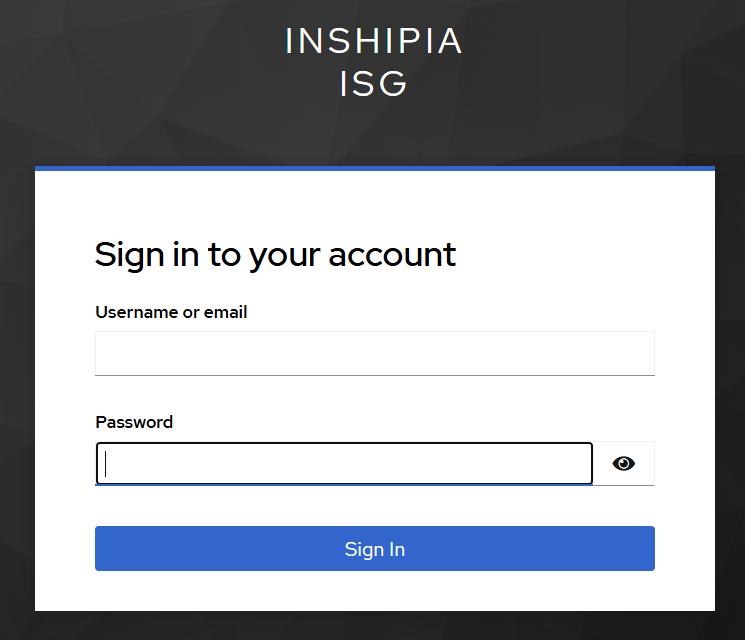
Screenshot: reference environment (env1), 2026-10-17.
playbooks/monitoring.yml
Monitoring on its own: first the node exporters on every fleet host, then the stack on the monitoring host (the stack's verify expects every target to be running, so the exporters have to be up first).
- Runs on: fleet plus monitoring host
- Command:
ansible-playbook -i inventory/env1.ini -e isg_env=env1 playbooks/monitoring.yml— not measured in the reference environment yet - Prerequisite: the stack's secrets are in the
monitoring/subdirectory of the config source - Sign of success:
failed=0,changed=0on the second run. The first run stops on hand-built containers and prints the switch that adopts them
playbooks/upgrade-rolling.yml
Rolling upgrade with drain, broker by broker: one broker at a time, and after one broker fails the next does not start. The prerequisite gates run before the drain — version distance, the state of the rest of the fleet, the gateway role's inputs — so that nothing is drained for a run that was going to fail anyway.
- Runs on: brokers
- Command:
ansible-playbook -i inventory/env1.ini -e isg_env=env1 playbooks/upgrade-rolling.yml— and--limitwith one broker per run and the store host (the run first brings the OpenBao ACL policies up to the release, before any broker restarts; without the store in the limit it stops before the drain), plus-e isg_config_src_dir=with the config source path; to cross the allowed version distance,-e isg_upgrade_allow_skew=true. Not measured in the reference environment yet - Prerequisite: a binary built from the repository on the controller (
make build) — the role stops before the drain if the binary's version is not the repository'sgit describe(to step back to an older artifact, name that version withisg_binary_expect_version); and a green fleet - Sign of success:
failed=0; the installed version is the controller's, the product's self-diagnosis returns 0, the drain is gone, and the readiness endpoint answers 200
playbooks/backup.yml
Backs up the shared store. The backup itself is the repository's backup script — one source, the same one the developer-machine backup calls: the playbook uploads it to the store host, runs it as the store user, brings the archive back to the controller, and measures there that it is what it claims to be.
- Runs on: store host plus controller
- Command:
ansible-playbook -i inventory/env1.ini -e isg_env=env1 playbooks/backup.yml— and-e isg_config_src_dir=with the config source path (the store token lives there); add-e isg_backup_become=falsefor the rootless run, where the store-side steps work as the connected ssh user instead of going through root - Prerequisite: the token file exists and carries the raft-snapshot capability; for the rootless run, the ssh user is the store user (the first step measures that with
id -unand stops if it is not) - Sign of success:
failed=0; the archive's listing carries all five mandatory members, and the checksums of the unpacked contents match the manifest
playbooks/backup-schedule.yml
Schedules that backup on the controller. It installs a systemd user timer — not a cron line — so the runs leave their trace in the journal and a run the machine slept through is brought back afterwards. The timer runs the backup without root: that is the only form a schedule can take, because an unattended run cannot be asked for a sudo password, while every store-side step of the backup works on the store user's own files anyway. The timer runs from a separate git worktree pinned to a released tag, because on this controller the main working tree is also the development tree — without that, whatever happened to be checked out at three in the morning would be what reaches the store host. This playbook starts no backup of its own: the first run is the timer's.
A second timer measures the age of the newest backup. Every day at 09:00 it
runs playbooks/backup-age.yml, which reads the UTC stamp in the name of the
newest archive in the controller's backup directory. Above 26 hours — or with no
archive at all — it mails the isg_cfg_upstream_notify_to recipients over the
existing SMTP path, and its own run is red. The 26 hours sit between a
successful night (under six hours old at 09:00) and a missed one (nearly 30
hours), so the alarm comes the same morning. What it does not catch: a
controller that is down, or a user manager that lost its linger — then this check
does not run either, and only an outside monitor would notice.
- Runs on: controller
- Command:
ansible-playbook -i inventory/env1.ini -e isg_env=env1 playbooks/backup-schedule.yml— and-e isg_config_src_dir=with the config source path, plus-e isg_backup_schedule_worktree=with the worktree's path and-e isg_backup_schedule_ref=with the tag it stands on; to take the schedule down (both timers),-e isg_backup_schedule_state=absent. Not measured in the reference environment yet - Prerequisite: the controller user lingers (
loginctl enable-linger— otherwise the user manager, and the timer with it, dies at logout), the store host answers without an ssh-agent (the timer has none), the backup token file is there, the tag exists locally, andisg_cfg_upstream_notify_tonames at least one recipient (the install stops otherwise) - Sign of success:
failed=0; both timers reportenabledandactive, and the run prints when they fire next. To run one backup by hand:systemctl --user start isg-backup-env1.service; its log isjournalctl --user -u isg-backup-env1.service. The age check by hand:systemctl --user start isg-backup-age-env1.service
playbooks/backup-restore-drill.yml
A restore drill: measuring the RTO in throwaway instances. It restores a finished archive on the store host into fresh containers and measures the split times. It never touches the live instances: an assertion at the start that the drill names are not the live ones, and one at the end that the live units are still active.
- Runs on: store host
- Command:
ansible-playbook -i inventory/env1.ini -e isg_env=env1 playbooks/backup-restore-drill.yml— by default the newest archive in the backup directory; for another one,-e isg_drill_archive=with the archive's path. Not measured in the reference environment yet - Prerequisite: a finished archive on the controller, and the store's init output (for the drill only)
- Sign of success:
failed=0; the restored database's row counts match the manifest, the store's mount list is in place, and the summary prints the three RTO split times
playbooks/ca-rotate.yml
CA key rotation in five phases, with operator gates. Each phase runs under its own tag and ends by printing the exact command for the next one — a human decides between the phases (the dual-trust window stays open until you start phase 4). With no tag the play carries all five phases in one go: in a throwaway environment only.
- Runs on: gateway plus target hosts (on the vault branch, the brokers)
- Command:
ansible-playbook -i inventory/env1.ini -e isg_env=env1 playbooks/ca-rotate.yml --tags phase1; phases 2 to 5 are the same command with their own tag and-e isg_ca_rotation_id=with the rotation id that phase 1 printed. Between phases 3 and 4,make ansible-cert— the transport certificate is already on the new CA. Not measured in the reference environment yet - Prerequisite: phase 1's closed-set gate is green: no orphaned live certificate under the old CA
- Sign of success:
failed=0per phase, and the next command printed at the end of the phase. What phase 4 measures: a certificate from the old CA is rejected, one from the new CA gets in
playbooks/verify.yml (absent)
The same audit mode, but measuring the removal: the roles' verify_absent
task files.
- Runs on: every host
- Command:
ansible-playbook -i inventory/env1.ini -e isg_env=env1 playbooks/verify.yml -e isg_state=absent— not measured in the reference environment yet - Prerequisite:
remove.ymlhas run - Sign of success:
failed=0andchanged=0
After the installation: first steps
The installation is finished when step 6 above is green. This section is for the first person who then
tries the fleet out: what a client machine needs, how the first login goes, a command that waits for
approval, and where each browser-facing component of the fleet is reached. Below, <public name> is the
brokers' shared name (isg_e1_public_name), the name the shared address answers on.
What a client needs
The client can be Linux or Windows; the requirements are the same.
-
An OpenSSH client. On Linux, the distribution's OpenSSH client package. On Windows 10 and 11, the built-in OpenSSH client (an optional Windows feature), used from PowerShell or the command prompt.
-
Name resolution for the shared name. The brokers' host certificate and the web UI's certificate are both issued for the shared name, so the client has to reach the brokers by that name — through DNS, or a line in the hosts file. Connecting by IP address draws a warning from the SSH client and the browser alike.
-
One
@cert-authorityline inknown_hosts. Every broker presents an SSH host certificate signed by the ISG CA, with the shared name among its principals, so one line trusts all of them:@cert-authority <public name> <the CA public key>The CA public key is what
isg ca pubkeyprints on a broker (the same as$ISG_HOME/pub/ca_key.pub). Without the line, the first login asks the trust-on-first-use question — and since every broker has its own host key, a later login that lands on another broker behind the shared name warns of a changed host key, which is exactly the warning a real man-in-the-middle would produce. If someone also connects to a broker by its own name, add that name to the line's comma-separated host list. -
Browser trust for the web UI. By default the web UI's certificate is issued by the ISG X.509 CA: import that CA's certificate (
$ISG_HOME/pub/x509_ca_cert.pemon a broker) into the client's trust store. Withtls.yamlthe certificate comes from elsewhere: from the customer's PKI, which the client usually trusts already, or — withisg_config_src_pki_enabled— from the environment's own root (pki/root.crtin the config source), which is then the one certificate the client imports. Either way the certificate names the shared name, not the brokers' own names. -
The second factor. Depending on
mfa_modeinmfa.yaml: an authenticator app (totp, enrolled once withisg mfa enroll), a mailbox that receives the code (email), or either (totp-with-email-fallback).
The first login
ssh isg-login@<public name>
The gateway asks, in this order: Target host, Username, Password, MFA code. With SSO enabled for the
command line (sso.yaml, cli: optional), an empty password starts the identity provider's device flow
instead — identities, groups and locks describes both paths.
The access decision is reported after the MFA code, not before it. A user who answered every prompt can
still be refused — with no_matching_rule when no human_access rule admits them to that host. That is
the access model working, not a failed login.
A first command, and an approval
After the login every command is its own policy decision and its own audit entry. A command that a
require_approval rule matches does not run yet: the request appears in the web UI
(https://<public name>:8765/), and someone other than the requester decides it — nobody can approve their
own request. The request waits for the rule's timeout_seconds (300 by default); an undecided request
expires and the command does not run (troubleshooting).
To see the whole round: sign in to the web UI as a second user who may approve (approver_group), decide
the request, then find the session in the admin view. An interactive session also carries a terminal
recording there, to replay.
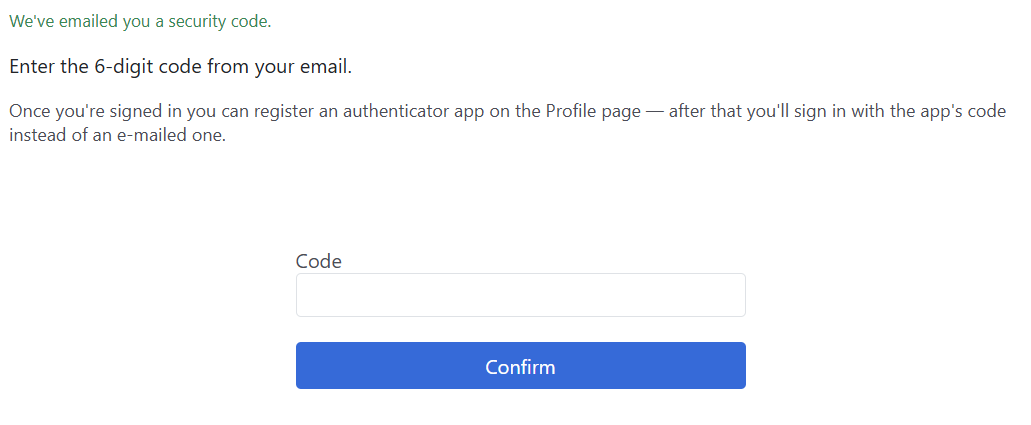
Screenshot: reference environment (env1), 2026-10-17.
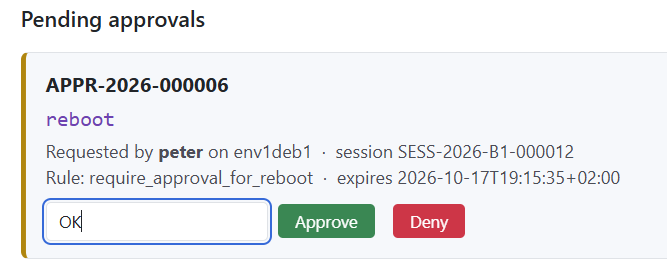
Screenshot: reference environment (env1), 2026-10-17.
Browser-facing components
The ports are the roles' defaults. A password never appears on a page or on a command line: the table
names the file in the config source (isg_config_src_dir, on the controller) that holds it.
| Component | Address | Who signs in | Where the password is |
|---|---|---|---|
| ISG web UI | https://<public name>:8765/ |
a directory user with the second factor, or SSO | the directory |
| Grafana | http://<monitoring host>:3000 |
admin |
monitoring/grafana.env (GF_SECURITY_ADMIN_PASSWORD) |
| Prometheus | http://<monitoring host>:9091 |
nobody — it has no authentication | — |
- Prometheus is protected by the firewall alone. Like Grafana, its port is open
only to the admin sources (
isg_net_admin_sources). With Web Access (below), both move behind the ISG login instead. - The object store has no browser interface. RustFS ships a console, but the role does not publish its port (9001) and the firewall has no rule for it: nothing in the installation uses it. The store is reached over the S3 API (9000) by the brokers alone.
- OpenBao has no browser interface. Its UI is off (
isg_shared_store_bao_ui), and its port (8200) is open to the brokers only. Its root token is in the init file on the controller (isg_bao_init_file), offline. - The identity provider's admin console belongs to the customer's identity provider, not to ISG.
- The bundled directory host. If the fleet runs the bundled directory (the
isg_directoryrole), the seeded users' passwords are in the config source'sdirectory/users.env. With the customer's own directory, the passwords are the customer's.
Web Access: web consoles behind the ISG login
Web Access puts web consoles — Grafana, Prometheus, a mail catcher, a BMC's API — behind the same login, groups,
approvals and audit as SSH. In the shipped Ansible the switch is isg_cfg_apps: playbooks/config-src.yml writes
apps.yaml and the listener's certificate, playbooks/site.yml ships them, and the brokers listen on
isg_apps_port (8444 by default). Everything about it — the Ansible variables, the listener, the DNS, the three
identity modes, the applications added on the web UI — is in the Web Access section:
configuring applications, Web Access policy and
preparing a web console.